
Free Maui3.0 - App Store
You'll be able to see results in few seconds.
Publisher Description
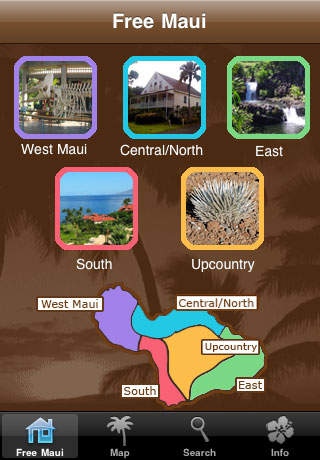
Over 100 free or almost free activities around our beautiful island! Plan your Hawaii vacation full of adventures around our tropical isle without having to go home broke!
Developed by locals who know how to navigate around the touristy stuff, Free Maui offers over 100 FREE (or almost free) activities to experience at one of the most desirable destinations in the world.
* Watch a sunset cliff-diving ceremony in Kaanapali.
* Explore a fresh-water cave in Hana.
* Visit the Maui Nui Botanical Gardens in Kahului.
* Enjoy wine tasting at Maui s own Tedeschi Vineyard.
* Take a free guided hike in Haleakala National Park.
* See the petroglyphs in Olowalu Valley.
* Check out the Nakalele Blowhole.
*Take a self-guided tour of a coffee estate.
* Listen to a talk at the Hawaiian Islands Humpback Whale Sanctuary.
... and so much more!
Each listing includes a description of the activity or event, the address, phone number, directions and other relevant links. With a tap, you can open the address in Google maps, dial a number on your iPhone, or browse related websites in Safari.
And, if your going to Waikiki on Oahu check out our Free Oahu App!
TO COME: Updates will include more maps, more photos, and more free stuff!
Requires iOS 3.1.2 or later. Compatible with iPhone, iPad, and iPod touch.
About Free Maui
The company that develops Free Maui is HC Productions LLC. The latest version released by its developer is 3.0.
To install Free Maui on your iOS device, just click the green Continue To App button above to start the installation process. The app is listed on our website since 2009-02-17 and was downloaded 0 times. We have already checked if the download link is safe, however for your own protection we recommend that you scan the downloaded app with your antivirus. Your antivirus may detect the Free Maui as malware if the download link is broken.
How to install Free Maui on your iOS device:
- Click on the Continue To App button on our website. This will redirect you to the App Store.
- Once the Free Maui is shown in the iTunes listing of your iOS device, you can start its download and installation. Tap on the GET button to the right of the app to start downloading it.
- If you are not logged-in the iOS appstore app, you'll be prompted for your your Apple ID and/or password.
- After Free Maui is downloaded, you'll see an INSTALL button to the right. Tap on it to start the actual installation of the iOS app.
- Once installation is finished you can tap on the OPEN button to start it. Its icon will also be added to your device home screen.
Program Details
System requirements
Download information
Pricing
Version History
version V.3.0
posted on 2009-02-17
Disclaimer
Official App Store Link
We do not host Free Maui on our servers. We did not scan it for viruses, adware, spyware or other type of malware. This app is hosted by Apple and passed their terms and conditions to be listed there. We recommend caution when installing it.
The App Store link for Free Maui is provided to you by apps112.com without any warranties, representations or guarantees of any kind, so access it at your own risk.
If you have questions regarding this particular app contact the publisher directly. For questions about the functionalities of apps112.com contact us.
